

Image rotation
Source:alpine/aports/fplinux-rotate
fplinux-rotate rotates a raw image by 90, 180 or 270 degrees, or mirrors it horizontally. On UMS9117, it runs either on the CPU or on the image rotation accelerator (ROTA), and can show the result on the display. The command is included in UMS9117 images; run it on the phone as described in Applications.
This guide covers UMS9117. The tool is not supplied for SC9820E.
Rotate an image
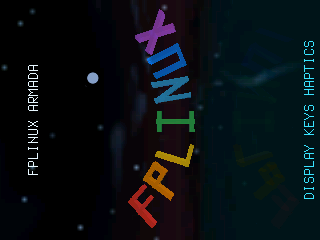
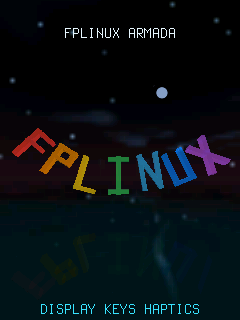
Section titled “Rotate an image”Rotate a 320×240 RGB565 image into a 240×320 result with the accelerator, compare it with the CPU result, and show it on a 240×320 display:
fplinux-rotate --engine rota --format rgb565 --width 320 --height 240 \ --rotate 90 --input /run/input.raw --output /run/rotated.raw \ --verify --displayOn success, the last line of the output names the result format, size and file, and whether it was verified.
Options
Section titled “Options”--engine, --format, --width and --height are required.
| Option | Meaning |
|---|---|
--engine cpu|rota |
Rotate on the CPU or on the accelerator. rota never falls back to the CPU. |
--format FORMAT |
rgb565, xrgb32, grey, nv12 or nv16; see Raw image formats. |
--width N, --height N |
Source size in pixels. |
--stride N |
Bytes per source row, including padding. Default: packed rows. For nv12 and nv16, it applies to both planes. |
--crop X,Y,W,H |
Source rectangle to rotate. Default: the whole image. |
--rotate 0|90|180|270 |
Rotation in degrees. Default: 90; 0 requires --hflip. |
--hflip |
Mirror horizontally. Requires --rotate 0. |
--input PATH |
Source file. Without it, the command generates a fixed test image. |
--output PATH |
Result file below /run or /tmp. Default: /run/fplinux-rotate.raw. |
--device PATH |
Accelerator device. Default: found automatically. |
--verify |
Compare the result with the CPU result and fail if they differ. |
--display |
Show the result for 2000 ms. |
--display-ms N |
Show the result for 0 to 60000 ms. |
--iterations N |
Repeat the selected engine 1 to 10000 times. Default: 1. |
--benchmark N |
Run four batches of 1 to 10000 iterations: CPU, ROTA, ROTA, CPU. Overrides --engine and --iterations. |
The result file has packed rows in the same format as the source. Vertical mirroring (--vflip) and rotation combined with mirroring are not supported.
Preview on the display
Section titled “Preview on the display”--display and --display-ms convert the result to RGB565 and show it until the time runs out; whichever of the two comes last sets the time. The result must be exactly the size of the display: the preview does not scale the image or rotate the console. For a 128×160 display, rotate a 160×128 source by 90 degrees. Stop the graphical session before a preview and restart it afterwards, following Direct-display applications.
The NV12 and NV16 preview uses a limited-range BT.601 conversion. Full-range images may appear with changed contrast or colors; the preview is not a check of color fidelity. This conversion does not change the saved raw result.
Size and alignment limits
Section titled “Size and alignment limits”Both engines require:
nv12: an even width and height, and even crop offsets and crop size;nv16: an even width, an even crop left offset and crop width, and an even result width.
The accelerator additionally requires:
- at most
4092pixels in each dimension; - each source plane, including the crop offset, to start at a multiple of four bytes;
- each result row to be a multiple of four bytes long.
Source, result, verification and device buffers all use phone memory, so a large image may not fit even within these limits.
A quarter turn of nv16 keeps the 4:2:2 layout: it uses every second source chroma row and repeats each chroma value on two result rows. Color detail is lost, so the result differs from rotating full-color pixels in a general image editor.
NV12 rotates the luma grid and its half-size chroma grid separately, preserving the 4:2:0 layout.
Use ROTA during camera capture only if that combination is verified on your phone page. Otherwise, stop capture first or use --engine cpu. Use the CPU path when ROTA is unavailable.
If the accelerator fails
Section titled “If the accelerator fails”If the accelerator cannot be stopped safely after an error, it refuses all further work until the phone is powered off and started again. Use --engine cpu in the meantime.
Timing reference
Section titled “Timing reference”--iterations N repeats the selected engine on the same input. --benchmark N runs four same-input batches in CPU/ROTA/ROTA/CPU order, with N iterations per batch. Both print stage times in microseconds and process CPU time:
fplinux-rotate --engine rota --format rgb565 --width 320 --height 240 \ --rotate 90 --input /run/input.raw --benchmark 20 --displayThe times are totals for each batch, not per-frame averages. They measure processing and presentation calls, not visible display latency or FPS. Benchmark mode skips the pauses used to hold previews on screen.
Timing fields and measurement boundaries
Reported microsecond values are batch totals. Stages distinguish device setup, input copying, queue submission, waiting, output copying, teardown, CPU rotation and preview conversion/presentation. total_us measures the application engine call, including an optional preview, but excludes the separately reported guard-check time; input-file reading and final output-file writing are outside that call. Preview conversion is included within full_framebuffer_us, so those two fields must not be added together.
process_user_us and process_system_us are process CPU time, not total system CPU load. The DRM preview includes conversion and atomic presentation; its aggregate timing is not an optical latency or FPS measurement.