

FPLinux: ARMADA
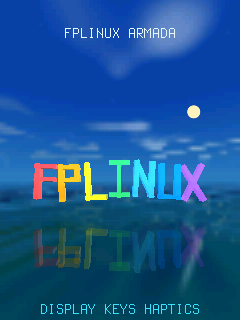
FPLinux: ARMADA is a showcase for the phone. It renders a 3D scene while the LCD brightness, the keypad light and the vibrator follow the same timeline. One cycle of the presentation lasts 38 seconds; it repeats until you exit. Choose software or GPU rendering with --renderer.
Check phone support status for the physical effects available on your phone.
Install and start
Section titled “Install and start”Install fplinux-showcase.apk as described in Packages. Its installed package name is fplinux-showcase. Stop the graphical session and run the application from the USB shell, following Direct-display applications:
fplinux-showcaseTo stop on its own after a number of complete cycles, pass --runs:
fplinux-showcase --runs 1--runs N requires a positive decimal count; without it, the presentation repeats until you exit. --keypad-led DIR selects the keypad light’s brightness directory instead of discovering it automatically.
The same application package supports 240×320, 128×160 and 320×240 displays. It needs the right soft key, the system brightness service, the keypad light and the vibrator. If one of them is missing, it does not start and names the missing part.
What you see and feel
Section titled “What you see and feel”Daylight and LCD brightness change throughout the presentation. The keypad light and the vibrator switch on and off in time with the scene; their pulse timing changes, not their intensity. During the hardware act, the keypad light and the vibrator spell FPLINUX in Morse code while the matching letter pulses on the screen. The cycle ends with two seconds of water after the letters sink.
There is no soundtrack. On phones that vibrate through the speaker, its low vibration tone can be audible; see Vibration.
Press Right soft at any time. The LCD returns to your brightness level, including a level you changed while the presentation ran, the keypad light returns to its level before the start, and the vibration stops. Restart the graphical session from the USB shell after the application exits.
After it exits, the application prints one line of figures for the run: the number of completed cycles, the frames shown, frame rates and frame times, its CPU use and its peak memory.